Connecting Keplr Wallet
Audience: New users who want to interact with the Twilight.
Goal: Install Keplr, add Twilight Testnet to Keplr, and fund the wallet with test tokens using faucet.
1 Install the Keplr browser extension
- Open your Chromium‑based browser (Chrome, Brave, Edge, etc.).
- Visit the official Chrome Web Store listing → https://chrome.google.com/webstore/detail/keplr/dmkamcknogkgcdfhhbddcghachkejeap.
- Click Add to Chrome ▸ Add Extension.
Tip: Keplr also provides a Firefox add‑on; steps are identical.
2 Connect Keplr from the Twilight frontend
-
Navigate to https://frontend.twilight.rest.
-
Click Connect Wallet (top‑right).
-
A Keplr popup appears asking to "Add Twilight Testnet".
- Review the chain parameters (chain‑id, RPC, currency).
- Click Approve.
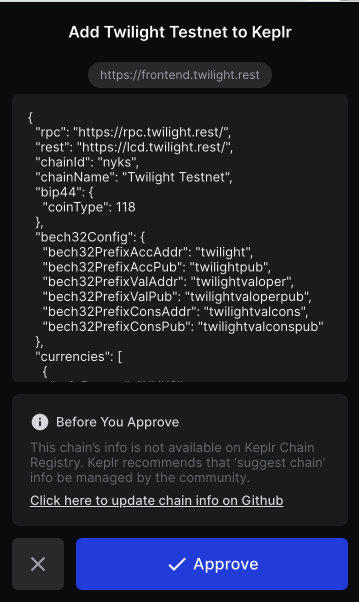
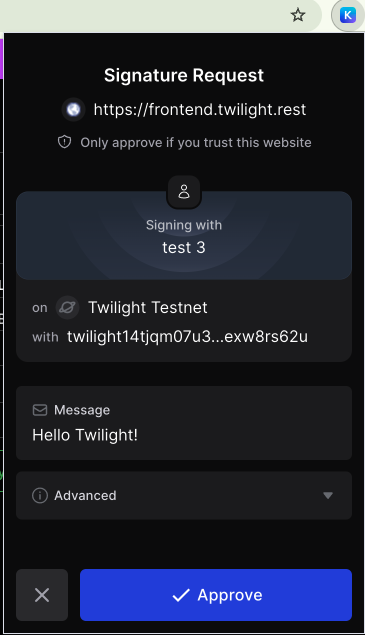
After approval Keplr automatically switches to Twilight Testnet chain.
3 Verify & manage chains in Keplr
- Open the Keplr panel (click the extension icon).
- Click the Menu icon ☰.
- Select Add/Remove Chain.
- In the search field type Twilight Testnet.
- Ensure the radio button next to Twilight Testnet is checked → click Click.

Your Keplr wallet is now ready to sign transactions.
4 Fund your wallet
- Visit the Faucet on the Twilight Frontend site.
- Click Connect Wallet if your Keplr wallet is not already connected.
- Press Continue and verify that your connected address matches your Twilight Testnet address.
- Click Get NYKS Tokens to request 100,000 NYKS from the faucet.
- Then, click Register BTC Address to generate and register a BTC public key.
⚠️ Do not refresh the page during this step.
- Approve the transaction in your Keplr wallet when prompted.
- Once registration is complete, click Get BTC Tokens to receive your testnet BTC.
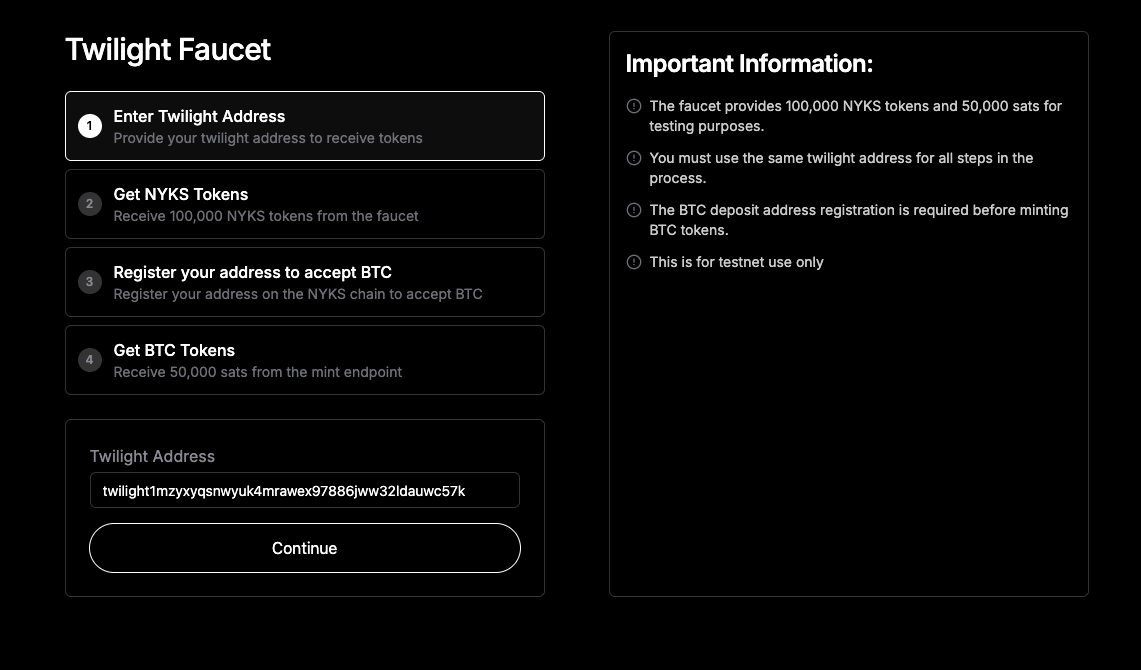
- Navigate to the Wallet page to view your BTC balance.
The tokens will appear under your Funding Account.
Transfers are processed almost instantly—your testnet balances should update within a few seconds.
Troubleshooting
| Symptom | Fix |
|---|---|
| Keplr popup does not appear | Disable popup blockers & retry Connect Wallet. |
| Twilight Testnet not listed | Re‑invoke Connect Wallet; make sure you approved the add‑chain request. |
| Faucet says “insufficient funds” | The faucet has rate limits—wait 10 minutes and retry. |