How to Provide Liquidity to the Twilight Pool
The Twilight Pool serves as the central liquidity layer for Twilight’s inverse perpetual protocol. Traders interact directly with this pool when opening and settling positions, making it the counterparty to all leveraged trades.
The pool earns protocol revenue from:
- Liquidations of undercollateralized positions
- Trading fees
- A share of the funding fee on open positions
By depositing BTC into the pool, Liquidity Providers (LPs) enhance protocol liquidity while earning a share of the generated revenue.
Twilight enables BTC holders to earn competitive on-chain yield by providing liquidity in a secure and privacy-preserving manner.
📌 Note: All liquidity operations are executed privately using encrypted Subaccounts, ensuring financial privacy for institutional participants.
Prerequisites
Before providing liquidity to the Twilight Pool, ensure you have:
- NYKS Tokens: Required for transaction fees on the Twilight testnet
- BTC Balance: Available in your Trading Account (Subaccount) for providing liquidity
- Subaccount: A dedicated Trading Account for liquidity provision
💡 New users can:
- Claim your testnet tokens from the Faucet:
NYKSfor gas fees andSATSto represent your BTC balance.- Set up SubAccounts in the Create Subaccounts section
⚠️ Testnet Notice: You are currently on the Twilight Testnet. All operations use test tokens, which have no real-world value.
Subaccount Management
⚠️ Important: Create a separate Subaccount for each liquidity provision. Accounts with active orders become locked and cannot be used for other operations until the liquidity is withdrawn.
Connect Your Wallet
Before initiating any lending activity, ensure that your Keplr wallet is connected to the Twilight frontend.
Click the Connect Wallet in the top-right corner of the interface and approve the connection request.
Depositing Liquidity
Depositing and withdrawing liquidity is performed on subaccounts. A few points of interest before we explain the process:
- You can create as many subaccounts as you want.
- When you deposit funds, the operation is performed on the complete subaccount, meaning all the funds in that account are deposited into the pool. You cannot deposit a partial amount.
- When you withdraw, the funds are moved back to the same subaccount.
- Each subaccount can have one active liquidity position.
Follow the steps below to open the Liquidity interface and execute your deposit transaction:
Step 1: Create Subaccount and transfer funds
- First Create a Subaccount, click on the Trading Account button towards the top right of the home page.

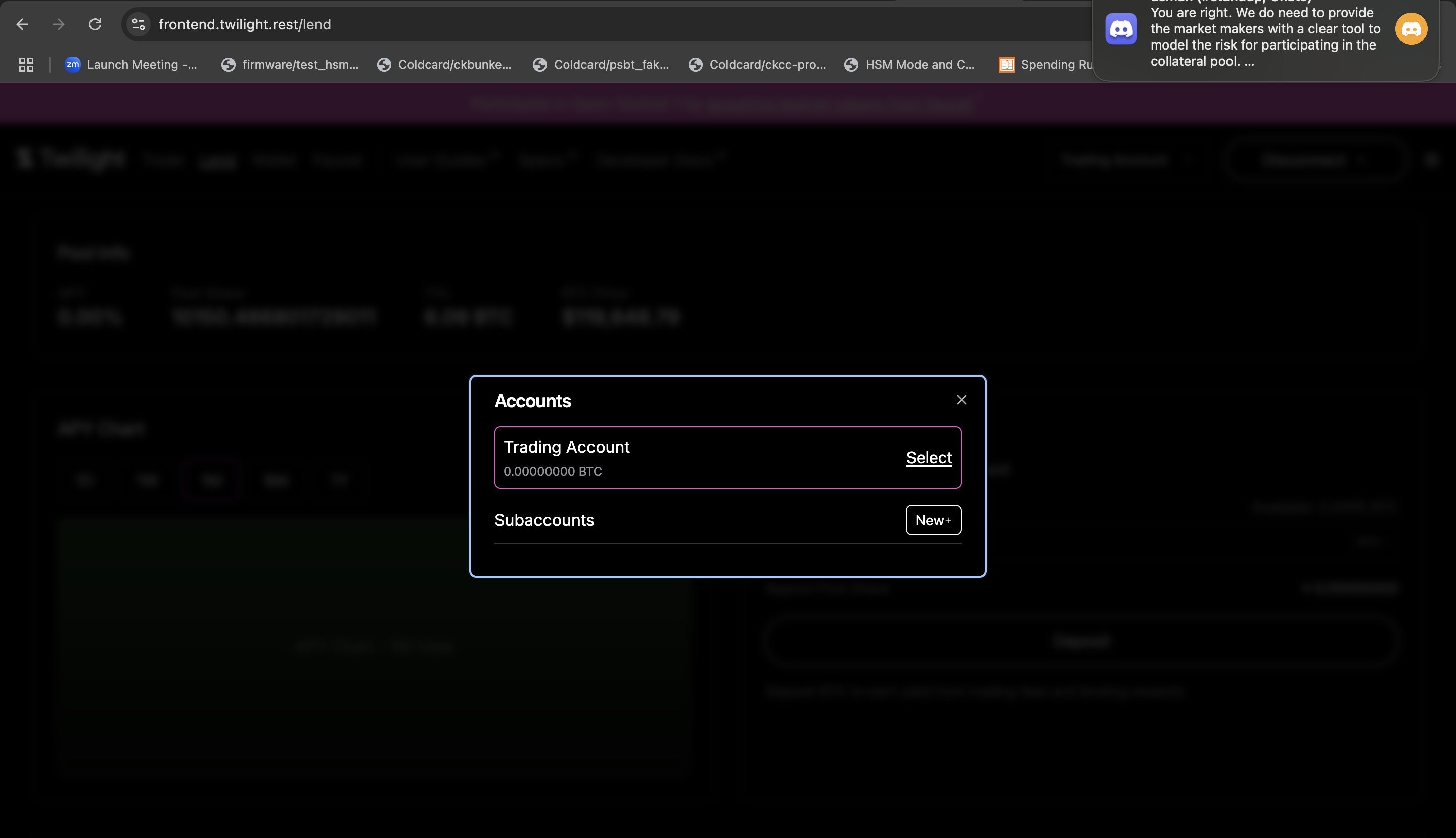
- Then go to the wallet page and move funds from the funding account to the new subaccount (classified as trading accounts).
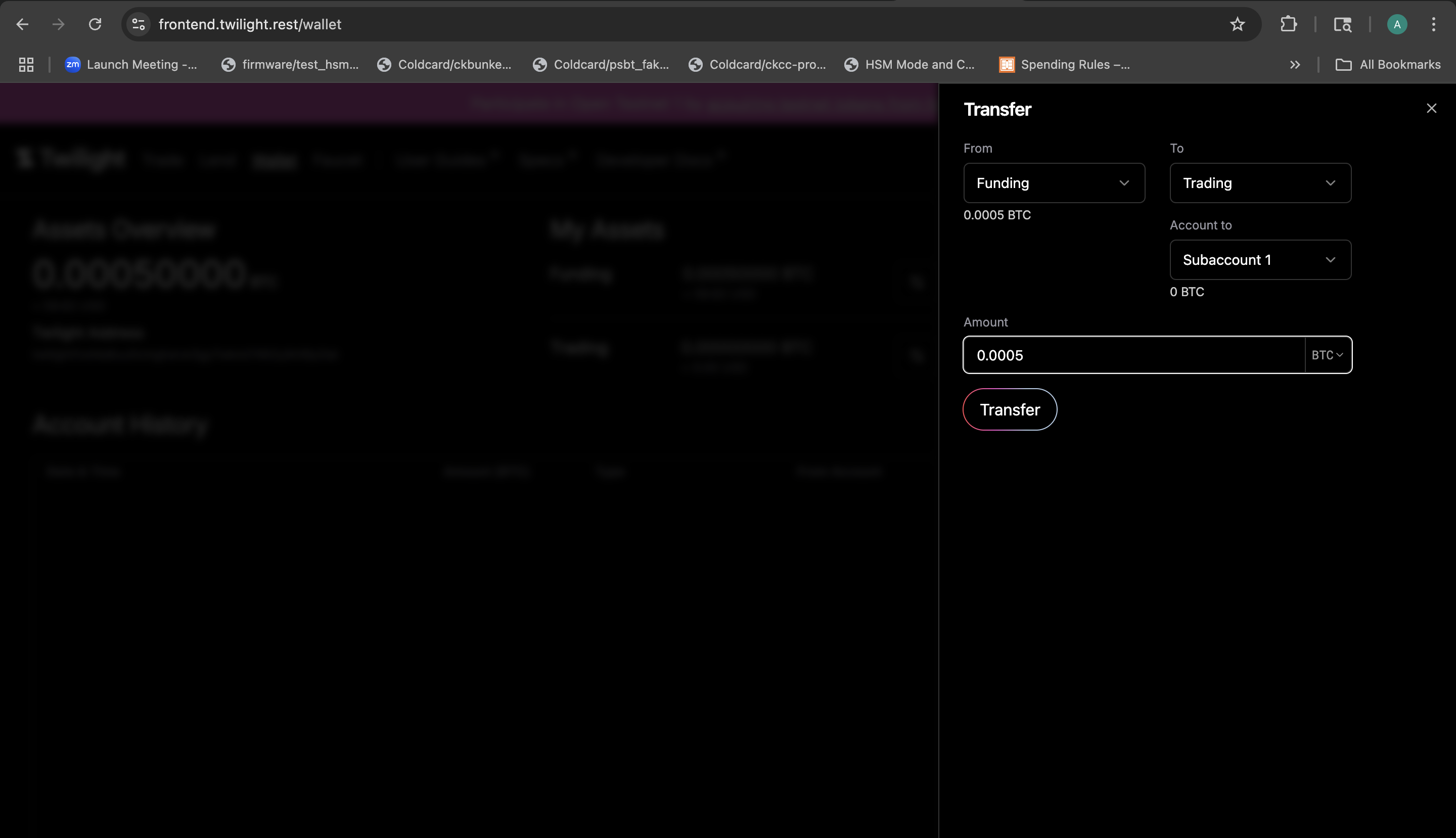
Step 2: Navigate to the Liquidity Interface
-
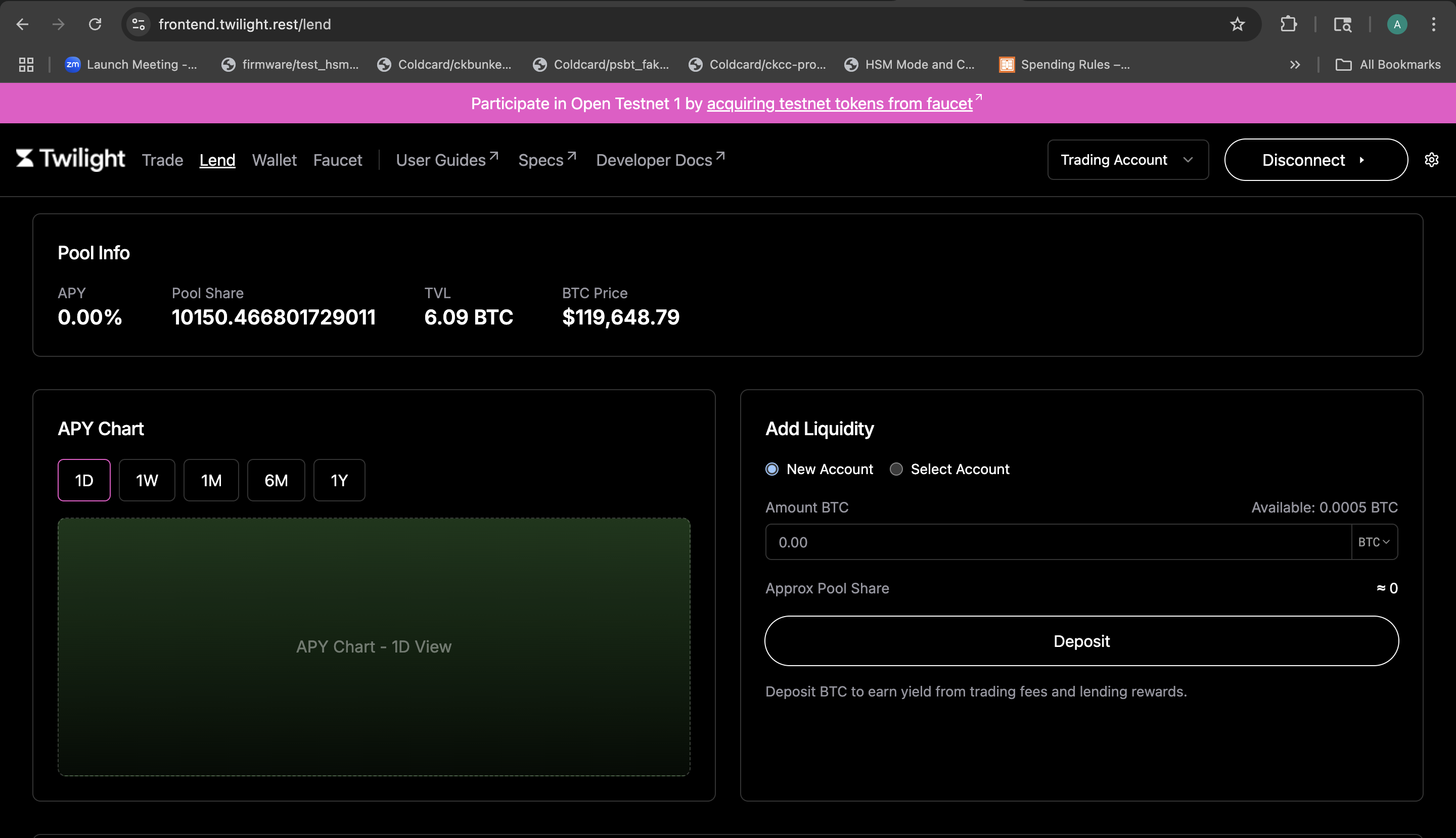
Click the "Liquidity" tab in the top navigation bar. This opens the liquidity dashboard.
-
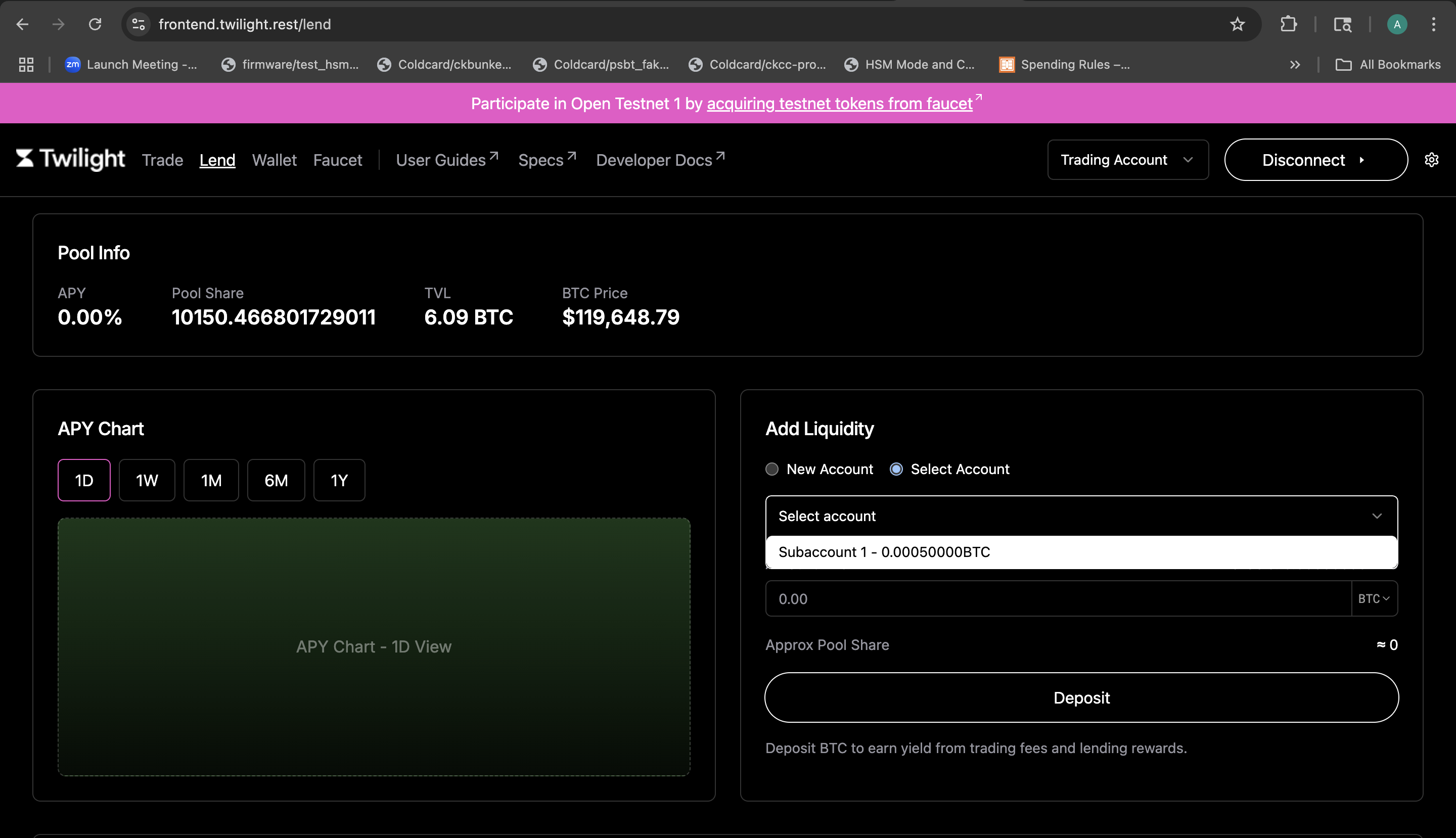
On the Liquidity page, towards the right select the subaccount you want to use and click on deposit.
- Once confirmed, the deposited amount will be displayed under the "Liquidity" section.
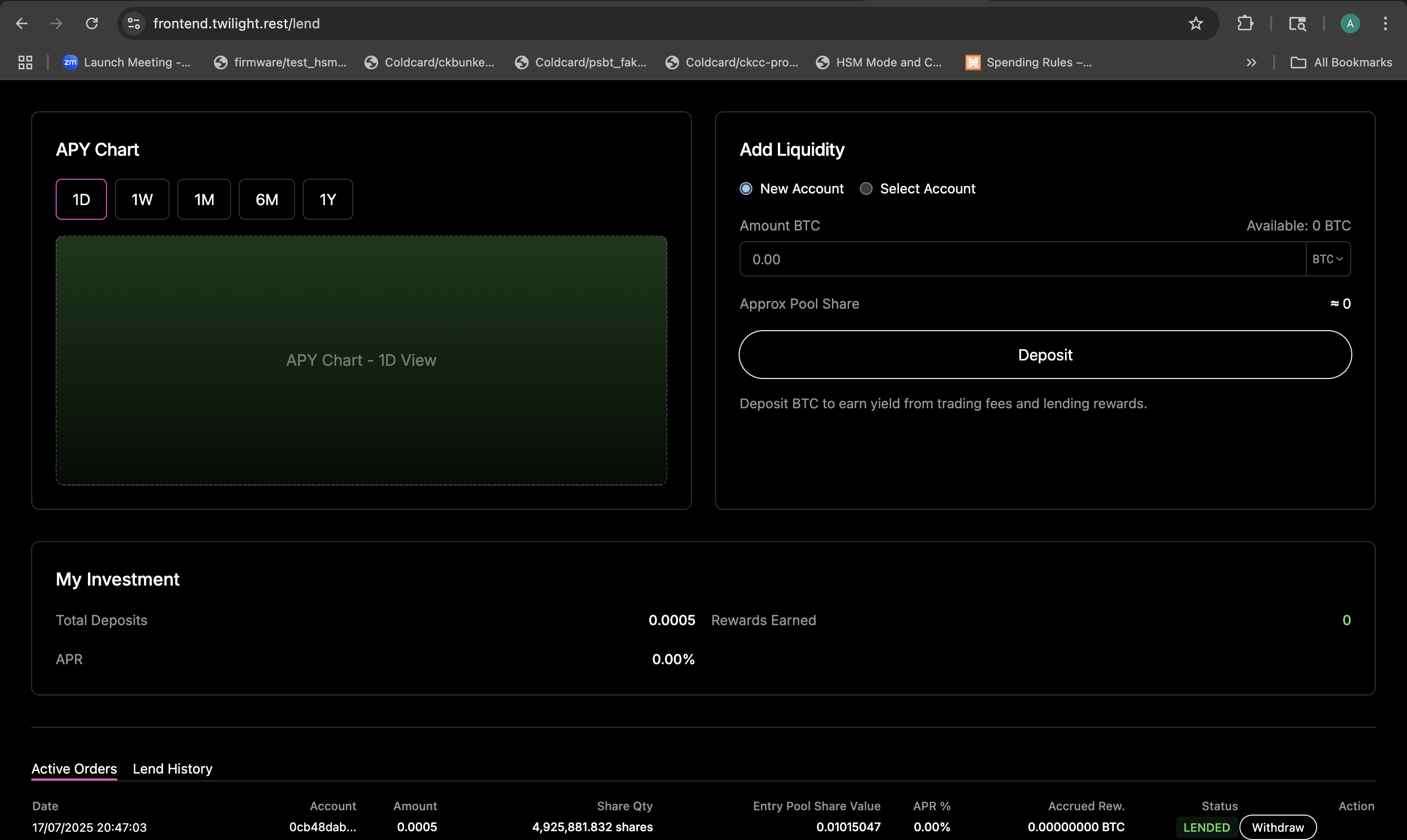
✅ Your funds are now earning yield in the Twilight Pool.
Withdraw Funds
If you wish to withdraw your deposited BTC from the Twilight Pool, follow the steps below.
Step 1: Navigate to Withdraw
- Go to the Liquidity tab from the top navigation bar.
- Locate the "Liquidity" section at the bottom, showing your active liquidity positions.
- Click the "Withdraw" button
Once confirmed, your BTC will be returned to the same account from which they were deposited. The updated balance will be visible on the wallet page.
🔁 You can now reuse these funds to open new trades or provide liquidity again.